Workflow walkthrough media capture
Maintainer notes for regenerating screenshots and GIFs under docs/_static/workflows/.
Sample corpus
Item |
Value |
|---|---|
Fixture |
|
Provenance |
Synthetic authored text for docs; not a real recording |
Speakers |
|
Suggested names |
Maya (facilitator), Jordan (engineering), Sam (support) |
Import via Import Transcript. Do not commit managed library copies under data/.
Committed stills (October 2026) are a Balanced run of Rapid Response Webinar Analysing the Biodiversity Beyond National Jurisdiction Treaty on package 0.9.9.5, with display names assigned before analysis. The practice fixture for the written steps remains planning_review.json. Recapture against a disposable data root; do not commit library copies or host paths.
Application state
Capture against a disposable data root when practical.
Walkthrough media |
Expected state |
|---|---|
Import / Run Analysis |
Fresh import; no requirement for prior runs |
Overview / Insights / Export / Charts |
Completed Balanced run on the fixture (re-run after naming if speaker cards should show names) |
Speaker Identification |
Fixture selected; speakers still diarized or mid-naming |
Local AI |
|
Groups |
At least one managed transcript; create via Groups expander |
Corrections |
Transcript VIEW with Correct mode; unique find text in a segment |
Rename Transcript |
Managed transcript selected on Rename page |
Speakers |
At least one longitudinal profile (link from Speaker ID) |
Export HTML preview |
Unpacked ZIP |
Viewport and chrome
Browser window 1440×900 (or device pixel ratio 1 with that CSS viewport).
Capture the Streamlit app pane only — no OS desktop, no browser URL bar if avoidable.
Prefer tight crops around the meaningful region (sidebar + main panel, or main panel alone).
Scrub usernames, absolute host paths, tokens, and personal transcript titles before committing.
Capture method
Product policy: do not add Playwright-driven Streamlit acceptance automation for docs media.
Practical approach used for the initial set:
Launch the web UI with a disposable data root (
TRANSCRIPTX_*_DIR) and a writtenschema_epoch.jsonmarker.Import
docs/workflows/fixtures/planning_review.json, name speakers, run Balanced analysis.Select the transcript and run in the sidebar VIEW pickers before opening Overview / Insights / Artifacts.
Capture stills with Chromium (Playwright one-off helper
scripts/docs_capture_workflow_media.pyor OS screenshots).Build short GIFs from a few stills (
convert+gifsicle) when a live interaction capture is awkward.Keep raw files under
.local/workflow_media/; promote curated assets todocs/_static/workflows/.
Do not couple production code to documentation capture.
Example compress commands
# PNG (lossy palette when text remains readable)
pngquant --quality=65-85 --ext .png --force docs/_static/workflows/*.png

# or lossless shrink
optipng -o2 docs/_static/workflows/*.png

# GIF
gifsicle -O3 --colors 128 -o out.gif in.gif
If those tools are unavailable, use an equivalent compressor that keeps UI text legible.
Asset checklist
Committed names expected by the walkthrough pages:
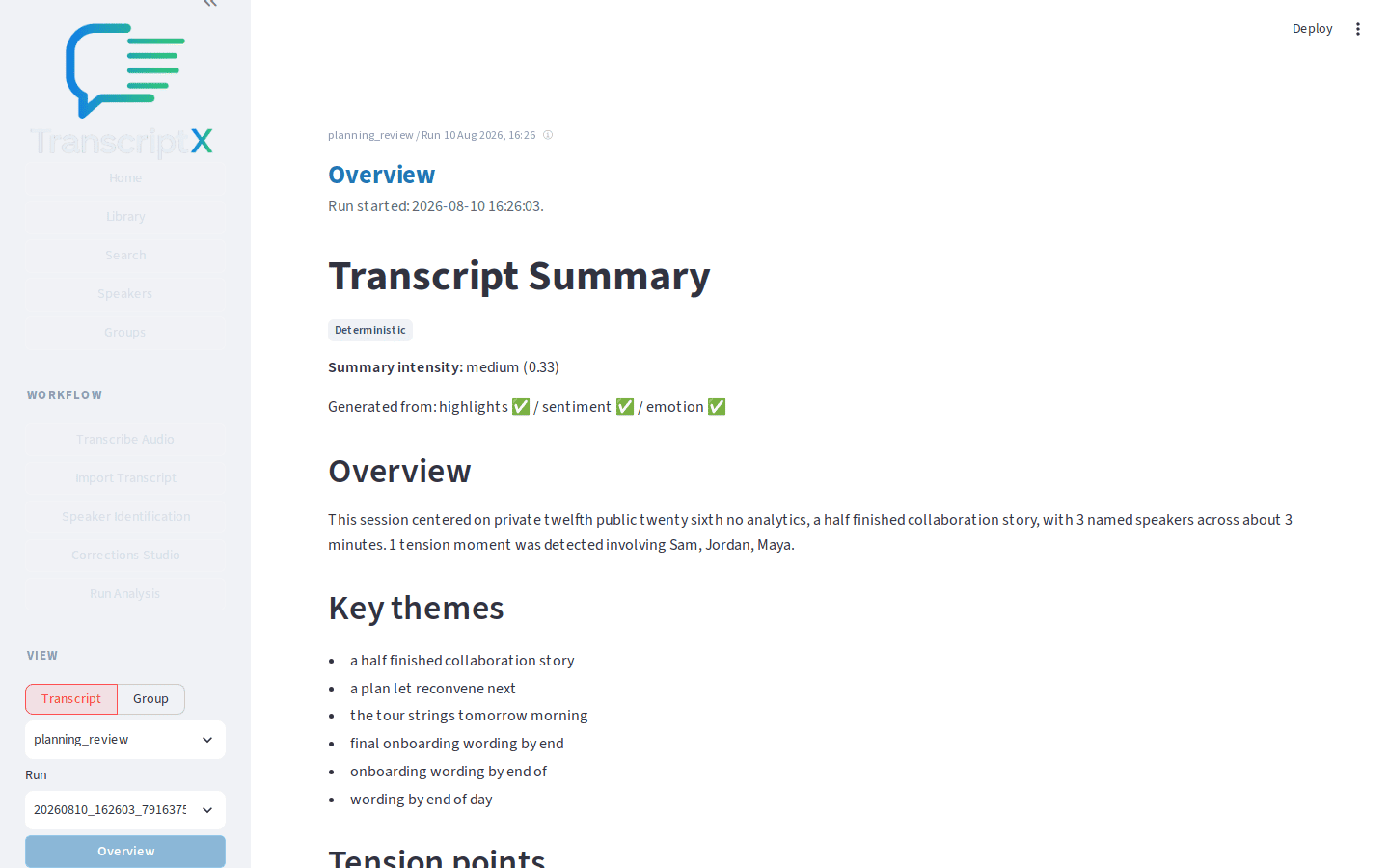
first-analysis-import.pngfirst-analysis-run-analysis.pngfirst-analysis-run-complete.giffirst-analysis-overview.pngspeaker-identification-page.png(legacyspeaker-trust-page.png)speaker-identification-naming.gif(legacyspeaker-trust-naming.gif)speaker-identification-transcript.png(legacyspeaker-trust-transcript.png)investigate-overview.pnginvestigate-highlights.pnginvestigate-evidence-jump.giflocal-ai-llm-setup.pnglocal-ai-overview-summary.pnglocal-ai-meeting-extracts.pngexport-artifacts-browse.pngexport-panel.pngexport-download.gifexport-html-preview.png
Embed images with GitHub-compatible Markdown so they render in the GitHub file view and in Sphinx/MyST:

Paths are relative to docs/workflows/. Alt text is required; captions are optional and only when they add information beyond surrounding prose.
The public landing hero is a copy of first-analysis-overview.png at website/images/overview.png. When you recapture Overview, copy it there as well.
Rebuild docs
pip install -e '.[docs]'
make docs
# open docs/_build/html/workflows/index.html